



Time to read: 6 min
AI is reshaping how mechanical engineers and product designers work, as it moves from early skepticism toward practical adoption. Early AI models may have failed to account for constraints or produced unrealistic geometries, but recent advances have made AI a more trusted engineering assistant in product development workflows.
AI still requires human oversight and validation for accuracy—yet, when integrated responsibly, it can accelerate concept generation, optimize simulations, automate documentation, and streamline collaboration.
With all the AI tools out there these days, how do you know which are best for specific applications and when to use them?
This article outlines a complete AI-powered workflow for mechanical product design, highlighting emerging AI tools that enable more efficient design engineering.


Give it a try: Fictiv’s Materials.AI is a great example of a quick way to start integrating AI into your workflows.
Why AI Matters in Mechanical Product Development
AI can amplify engineering capability by automating repetitive analysis and uncovering hidden patterns in complex datasets. Some of the main advantages include:
- Pattern recognition at scale: Identifies correlations across thousands of design iterations or test data sets
- Knowledge extraction: Summarizes standards, papers, and review notes for faster decision-making
- Creative augmentation: Assists with brainstorming while exploring and comparing multiple solutions
- Generative and parametric design: Creates geometry candidates optimized for strength, cost, and weight
- Automation: Handles time-consuming tasks such as BOM generation, document reviews, and repetitive drafting
AI elevates mechanical engineers’ insights, allowing teams to focus on innovation rather than administrative tasks.
AI Tools Across the Mechanical Design Workflow
1. AI for Concept Development
Tools: ChatGPT and LEO AI
Large language models (LLMs) and copilots such as LEO AI and ChatGPT excel at early-stage ideation. They can:
- Generate multiple product concepts from a problem statement for design inspiration
- Summarize technical literature, such as research papers and engineering manuals
LEO AI
Leo AI is a copilot designed specifically for engineering, which sets it apart from other, more general LLMs. It plugs into your documents and CAD, understanding and learning your tribal knowledge. In doing so, it can extract accurate answers from your PLM data, solve complex engineering problems, improve design quality, and reduce mistakes.
Chat GPT
Identify risk factors or conflicting requirements
While fairly well-known these days, OpenAI’s ChatGPT is a versatile tool for many tasks. It’s a great early assistant for early concept brainstorming. It can quickly access multiple design concepts and benefits, even with less in-depth prompting.
Example Chat GPT prompt for ideation:
“Generate three mechanical hinge concepts for a lightweight consumer device, prioritizing manufacturability and assembly efficiency.”
This structured, prompt-driven process encourages creative breadth early in the design cycle. Here’s an example of the results you get:
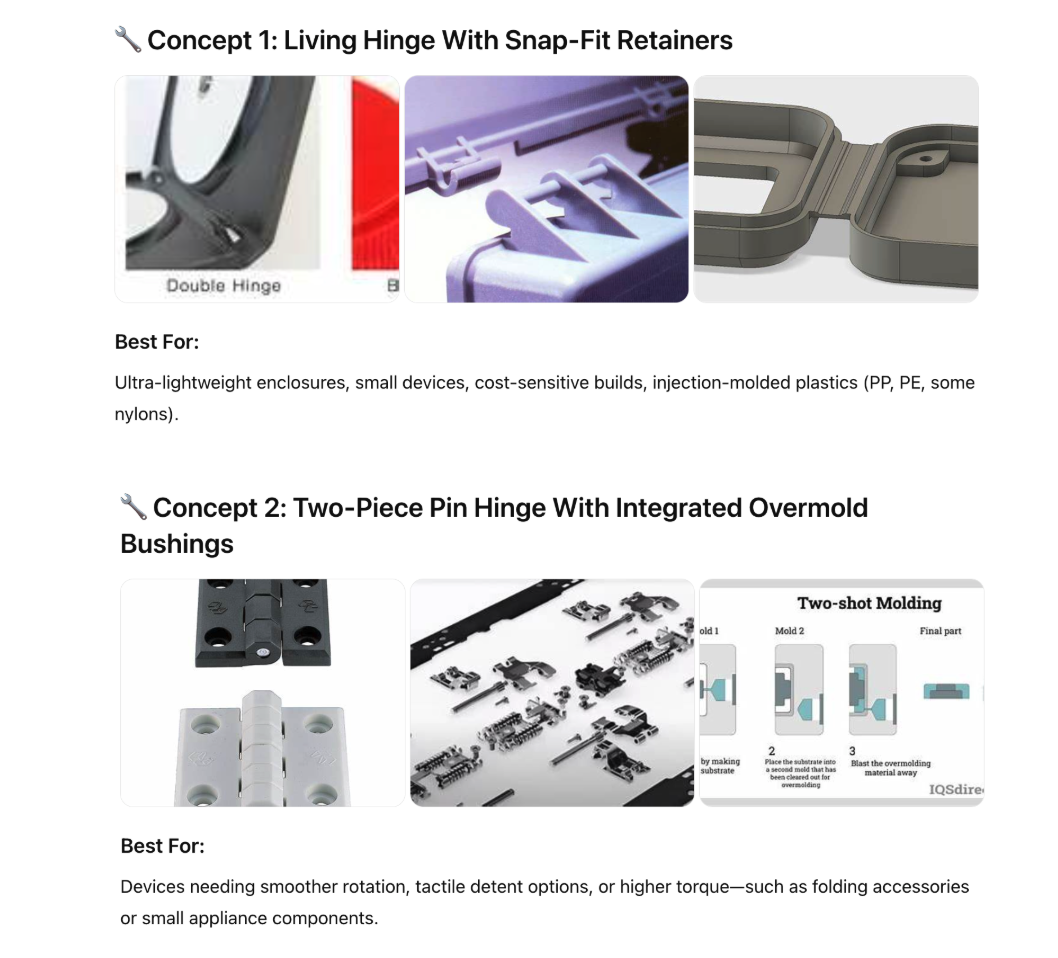
It’s not perfect, but it gets the ideas flowing. You can refine your results by adjusting the prompt to meet your specific needs and adding more detailed information. In this example, you could also create a chart to compare the pros and cons of different hinge designs.
2. AI for Visual Ideation and Sketch Generation
Tool: Gemini (AI Image Generation)
Gemini is another versatile LLM that is especially helpful for image generation. It transforms textual ideas into detailed visual concepts — enabling engineers and industrial designers to visualize potential forms before CAD modeling begins.
Applications:
- Create renderings and exploded diagrams from text prompts
- Generate aesthetic variations or ergonomic mockups
- Produce concept boards for early stakeholder presentations
Example Gemini image generation for design conception:
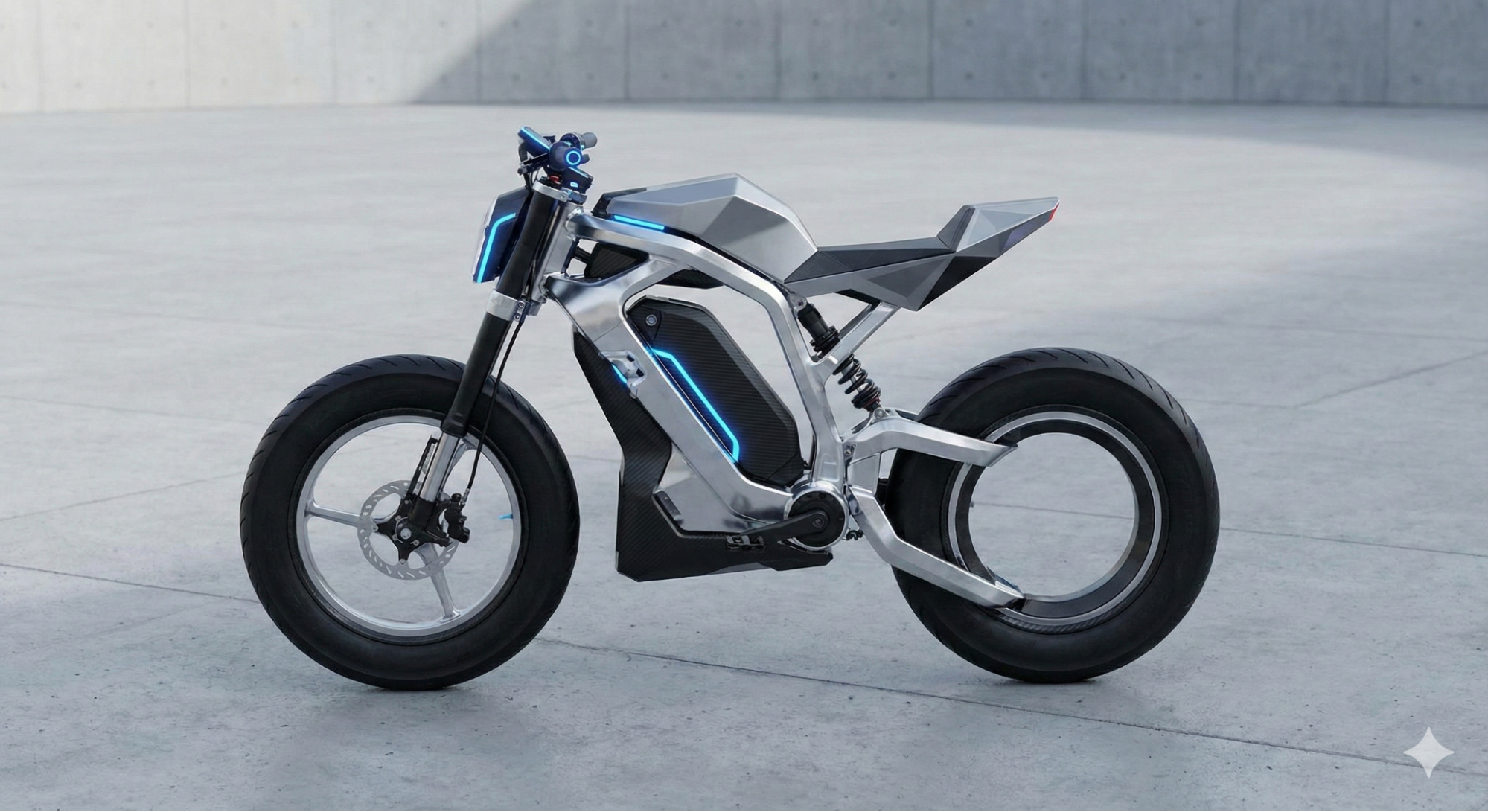
Again, it’s not always perfectly realistic, but it helps visualize an idea, and you can tweak it from there.
3. AI for Generative CAD and Simulation
Tools: Onshape, Autodesk Fusion 360, AI-Powered Design Modules
AI-enhanced CAD and simulation capabilities are evolving, with platforms like Onshape and Autodesk Fusion 360 actively experimenting with generative design and automated simulation workflows. While still in various stages of development, these tools aim to propose optimized geometries based on load cases, materials, and cost constraints. Some research-stage plug-ins are exploring methods to convert mesh data into editable parametric CAD models within programs such as SolidWorks.
Applications:
- Lightweighting via topology optimization
- Multi-objective trade-offs (stiffness vs. manufacturability)
- Automatic meshing and solver recommendations for simulation
Pro Tip: Always validate AI-generated geometries using FEA or CFD tools. AI should inform, not finalize, your design.
4. AI for 2D Drawing and Documentation
Tool: Drafter
AI-driven drafting tools such as Drafter are beginning to automate 2D drawings, GD&T callouts, and BOM creation directly from 3D models. These early-stage systems help reduce repetitive documentation work and reduce the risk of manual errors, especially in fast-moving product cycles. Drafter can be integrated into CAD to help you produce drawings faster, and includes automated GD&T.
Applications:
- Automatic generation of 2D drawings and standardized annotation schemes
- AI-assisted creation of GD&T callouts based on model geometry and design intent
- Rapid BOM extraction and updates for iterative design cycles
5. AI for Automated Review and Collaboration
Tool: CoLab
AI-enabled collaboration platforms like CoLab are emerging to streamline engineering review cycles. While still evolving, these tools aim to automatically:
Applications:
- Flag potential issues or standards violations in 3D models and drawings
- Highlight differences across design revisions for faster version comparison
- Organize and track feedback to improve clarity and accountability
The result is a more efficient design review process with better alignment across mechanical, electrical, and manufacturing teams.
6. AI for Material Selection and Manufacturing Integration
Tool: Fictiv Platform & Materials.AI
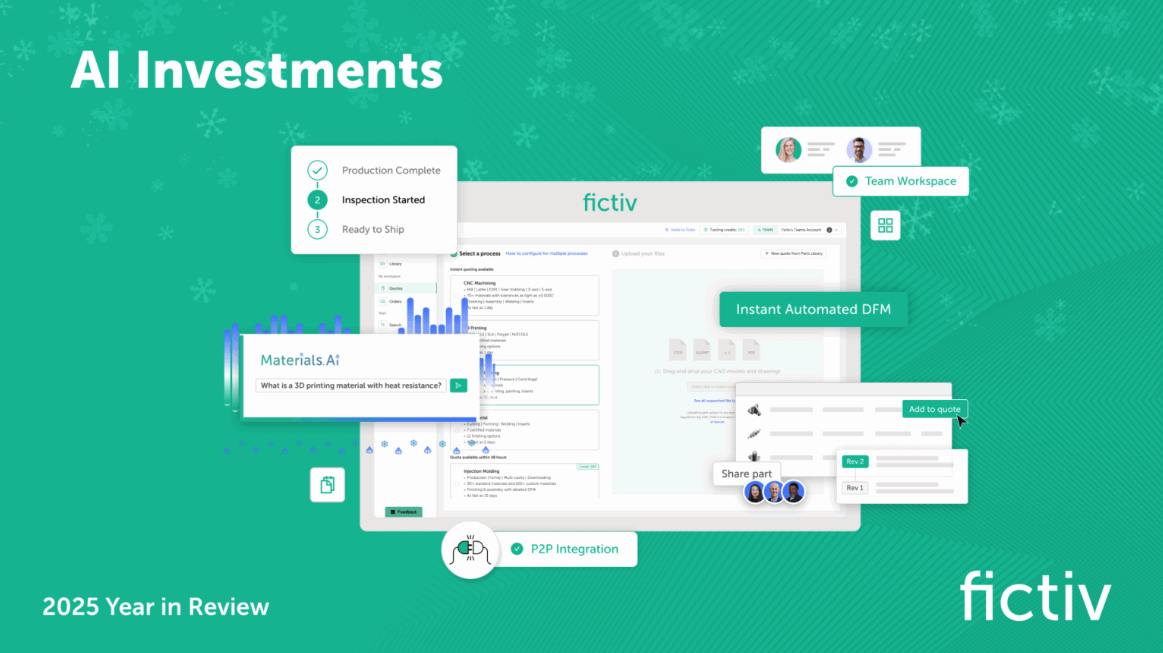
Fictiv’s Materials.AI allows engineers to enter mechanical property requirements or use cases, and receive a ranked set of material options along with clear trade-offs. This capability is integrated directly into the Fictiv quoting experience.
Beyond material guidance, the Fictiv platform continues to expand its AI-assisted toolset to streamline engineering workflows end-to-end. Recent enhancements include drawing-based configuration and annotation tools, bulk and auto-configuration for large BOMs, and automated DFM for injection molding and sheet metal.
These features support intelligent selection of manufacturing centers, provide real-time inspection and quality feedback, and enhance logistics, tracking, and quoting insights. Together, Fictiv’s AI capabilities help standardize feedback loops, automate issue flagging and validation, and ensure engineers receive faster, clearer, and more actionable manufacturing guidance.
Applications:
- Quick visualization of cost–performance trade-offs
- Validation against real manufacturability data and material data sheets
- Seamless handoff to Fictiv’s digital manufacturing platform for instant quoting and production
Best Practices for Safe and Effective AI Integration
AI integration succeeds when workflows are structured and validated. Here’s how to make AI a dependable partner:
- Start small: Focus on bounded, measurable problems, such as materials or tolerances.
- Use structured prompts: Frame design tasks clearly to improve repeatability.
- Validate continuously: Verify all AI outputs through simulation or expert human review.
- Document AI involvement: Record assumptions, models used, and human validations.
- Cross-check with multiple tools: Compare outputs from two or more AI systems to flag inconsistencies.
Example Workflow: Designing a Load-Bearing Bracket with AI
Here’s how an AI-driven design workflow might go:
- Define requirements: Load, stress targets, and clearances.
- Generate concepts: Use LEO AI or ChatGPT for geometry ideas.
- Material selection: Use Fictiv’s Materials.AI to optimize material options.
- Generative design: Use a plugin or native CAD program to create optimized structures.
- Simulation setup: AI auto-generates mesh and solver parameters.
- 2D drawings: Drafter converts 3D models to manufacturable blueprints.
- Design review: CoLab consolidates feedback and version control.
- Manufacturing production: Upload to Fictiv for automated DFM validation and quoting.
An AI-enabled process like this can reduce design cycles from weeks to days, all while maintaining rigorous validation.
AI Challenges in Engineering and Future Directions
AI in engineering faces several key challenges as we move forward with further adoption:
- Data bias: Overfitting, or defaulting to common materials or legacy geometries.
- Plausibility over accuracy: AI-generated designs may look correct but violate constraints.
- Data security: Ensure CAD uploads and simulations comply with IP policies.
- Regulatory lag: Engineering standards organizations (like ASME, ISO, and SAE) have not yet established clear frameworks for validating AI-assisted design outputs.
- Tool integration: Seamless data exchange between AI modules and CAD/FEA remains a pain point.
The future lies in physics-informed AI models that combine machine learning with first-principles simulation while ensuring both creativity and accuracy.

Leveraging AI in Engineering: From Caution to Collaboration
AI has been evolving from novelty to necessity in mechanical engineering. Used strategically, it enhances productivity and design quality while freeing engineers from menial tasks to focus on insight, creativity, and innovation.
AI is reshaping how products are imagined, modeled, and manufactured. But it’s not a replacement for engineers—it’s a multiplier of their expertise. By combining domain knowledge with tools like LEO AI, Gemini, Onshape, Colab, and Fictiv’s Materials.AI, teams can innovate faster while maintaining engineering integrity.
The future of engineering isn’t AI vs. human—it’s AI + human, working together to create better products, faster.
Ready to get started on your next project? Upload your CAD files and see how Fictiv’s AI-driven digital platform can expedite your product launch.