





Time to read: 9 min
Injection molding defects reduce the cosmetic appeal and structural integrity of injection-molded parts. The causes of these imperfections range from issues with tooling or materials to problems with processing or part design. The solution to a specific defect may require corrective action by the injection molder, the mold maker, or the part designer.
This article describes the top ten types of plastic injection molding defects and explains their causes and potential solutions.
Common defects include:
- Flow lines
- Sink marks
- Surface delamination
- Weld lines (i.e., knit lines)
- Short shots
- Warping
- Jetting
- Vacuum voids
- Discoloration (e.g., burn marks)
- Flash
The solution to a defect may require the part designer, mold maker, and/or injection molder to perform the troubleshooting tips described in this article. Read on to learn more and download Fictiv’s Injection Molding Design Guide for our part design best practices.
Flow Lines
Flow lines are unwanted streaks, waves, or lines on a part’s surface. When molten plastic moves through an injection mold at different speeds, the resin solidifies at different rates, which causes this type of defect. Flow lines also occur when sections of the mold have different wall thicknesses or when chamfers or fillets are too small. Following best practices for wall thickness can help to avoid flow lines.
An injection molder can reduce or eliminate flow lines by increasing the injection speed or pressure. If differences in wall thickness are the source of the problem, the mold maker may be able to place a gate in a thin-walled section of the mold cavity.
Table 1: Troubleshooting Flow Lines
| Project Role | Troubleshooting Tips |
| Part Designer | Select a thermoplastic with a higher melt flow index (MFI), a measure of ease of flow at a specific temperature and pressure. |
| Mold Maker | Add vents to allow trapped air to escape.Increase the size or thickness of gates or runners.If the mold has a thin-walled section, a gate there can improve flow and fill. |
| Injection Molder | Maintain a consistent injection speed.Raise the injection speed and pressure. Raise the nozzle and barrel temperatures. |
Sink Marks
Sink marks are dents, divots, depressions, or craters on the surface of a part. They appear on a part’s thicker sections, which take longer to cool. When there are significant thickness variations within a part, the thinner areas cool and contract more quickly. With sink marks, the outer skin on a thick section cools first and is pulled inward by the slower cooling of the thick material that’s beneath the part’s skin.
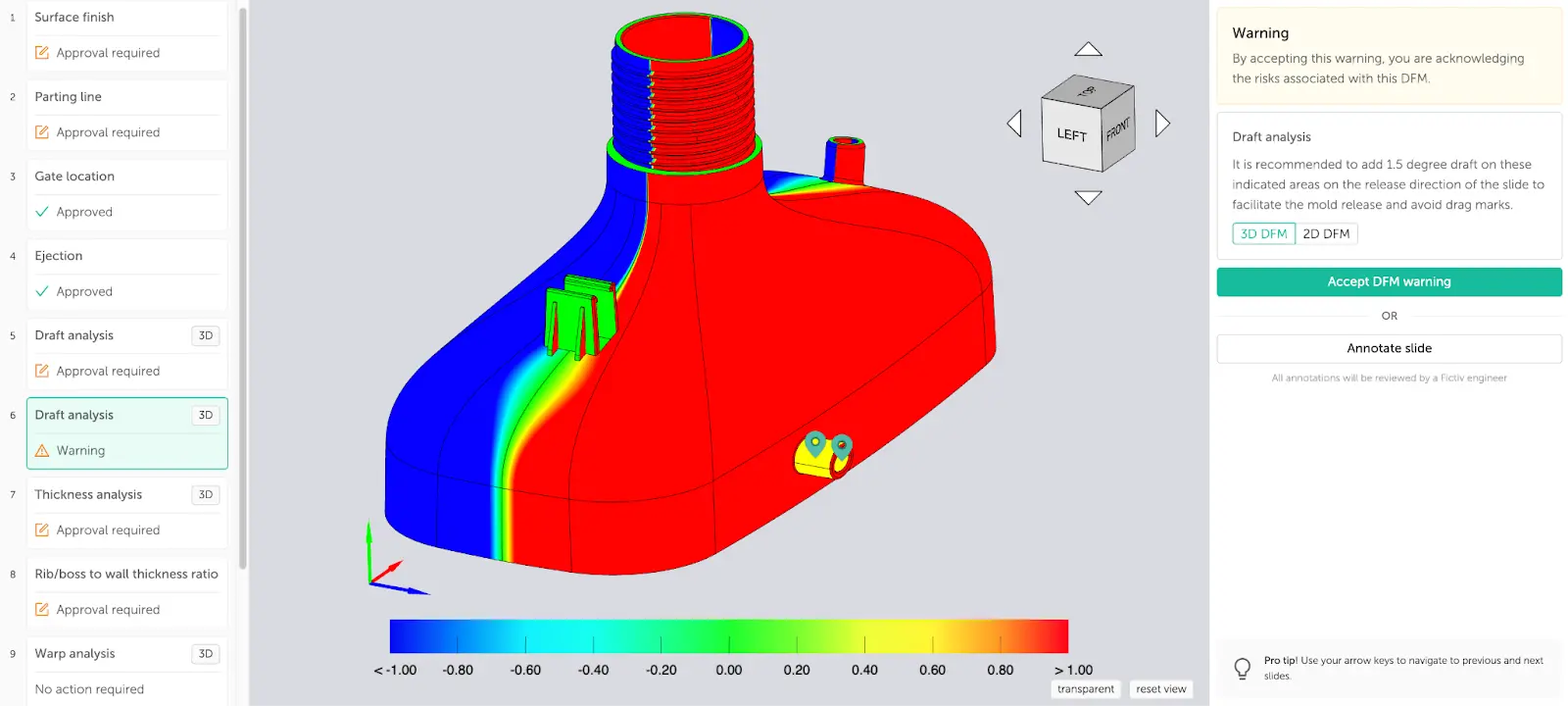
Injection molders can minimize sink marks by lowering mold temperatures, increasing holding pressures, or prolonging the hold time to allow for greater cooling. Part designers also play a role because most sink marks occur where ribs or bosses intersect the nominal wall. By following Fictiv’s design for manufacturing (DFM) guidelines, you can avoid sink marks.
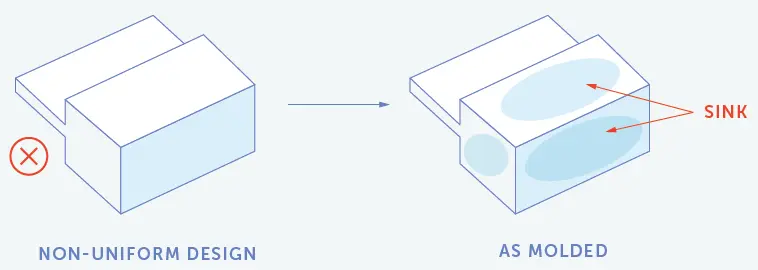
Table 2: Troubleshooting Sink Marks
| Project Role | Troubleshooting Tips |
| Part Designer | Follow DFM guidelines for wall thickness, ribs, and bosses. Use our DFM tools to analyze your design and receive expert feedback. |
| Mold Maker | Increase the size or number of gates.Add cooling lines with high thermal conductivity.Correct issues with poor or inadequate venting. |
| Injection Molder | Reduce the mold temperature.Increase the holding pressure.Extend the hold time. |
Surface Delamination
Surface delamination is an injection molding defect that causes a part’s surface to separate into thin layers that can be peeled away. It’s usually caused by contaminants, such as mold-release agents, in the injection-molding material. These contaminants create localized areas that prevent the plastic from bonding properly. The effects are more than cosmetic, as they also reduce part strength.
Injection molders can minimize surface delamination by reducing their reliance on mold release agents, typically by improving the part-ejection mechanism. Pre-drying the plastic material before molding and increasing the mold temperature can also help. Mold makers can also smooth corners within the mold to avoid sudden changes in melt flow.
Table 3: Troubleshooting Surface Delamination
| Project Role | Troubleshooting Tips |
| Part Designer | Apply smooth corners to parts.Ask about mold cleaning and maintenance. |
| Mold Maker | Increase the runner diameter to prevent resin separation during injection.Increase the gate size to avoid premature hardening before the plastic fills the mold. |
| Injection Molder | Dry the plastic material before molding.Adjust the mold temperature. Increase the fill speed in small increments until the delamination disappears.Reduce dependence on mold release agents, typically by improving the part ejection mechanism. |
Short Shots
Short shots occur when molten resin doesn’t completely fill the mold cavity. As a result, the parts are incomplete and unusable. Short shots are caused by flow restrictions within the mold, often due to injection molding gates that are too narrow. Insufficient injection pressure and trapped air pockets are also potential causes, and material viscosity and mold temperature can contribute as well. Poor runner balance or excessive flow length-to-thickness ratios can also contribute to short shots.
Injection molders can reduce short shots by increasing mold or resin temperature or injection speed (fill rate). Alternatively, mold makers can incorporate additional vents into an injection mold to allow more air to escape. If a part design requires a thin section in its interior, placing the gate within that section can help.
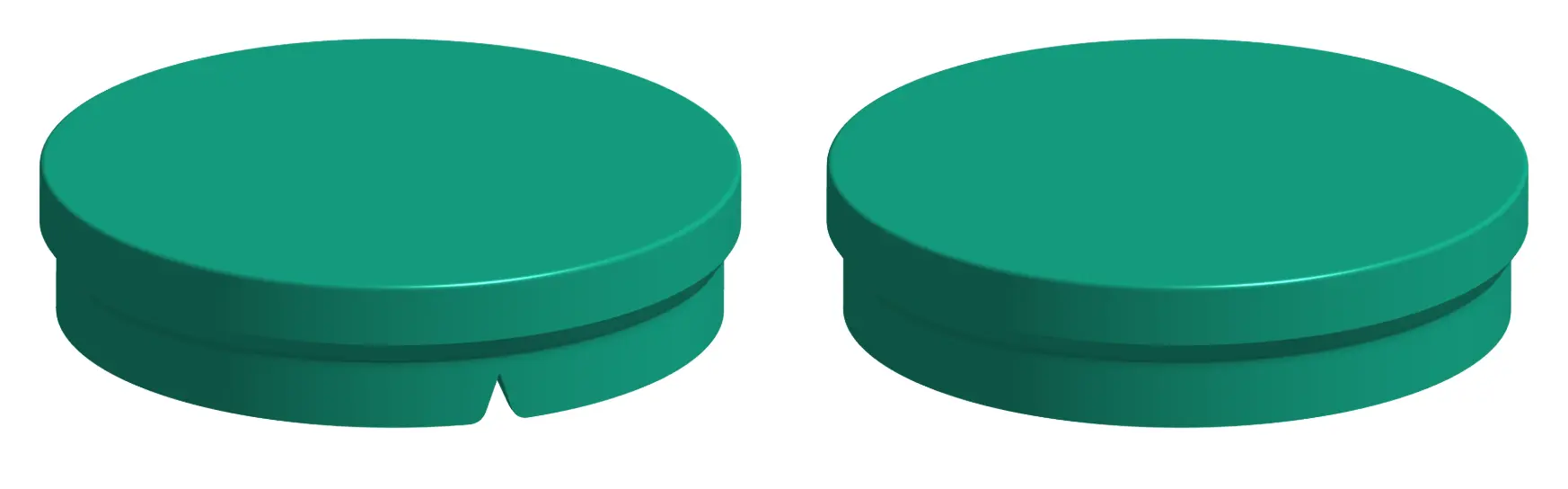
Table 4: Troubleshooting Short Shots
| Project Role | Troubleshooting Tips |
| Part Designer | Maintain uniform wall thickness and limit flow-length-to-thickness ratios. |
| Mold Maker | Add vents or increase their size. |
| Injection Molder | Increase the mold temperature or the resin temperature to slow the plastic’s cooling.Adjust the fill speed and volume. |
Weld Lines (Knit Lines)
Weld lines, or knit lines, occur when two flows of molten resin meet, typically after moving past a hole. They are caused by differences in temperature between the two flow fronts. The result is partial solidification and inadequate bonding. Weld lines create visible marks, but this type of injection molding defect can also reduce a part’s strength and durability.
To prevent knit lines, injection molders can increase the temperature of the molten resin to prevent solidification from starting too soon, and increasing injection speeds and pressure are also potential solutions. Part designers can select resins with lower viscosity and lower melting points, and mold makers can remove partitions within the tool that produce separate flows.
Table 5: Troubleshooting Weld Lines
| Project Role | Troubleshooting Tips |
| Part Designer | Use uniform wall thicknesses that maintain adequate melt temperature where flow fronts meet. Specify a heavier texture or paint parts to hide lines.Avoid metallic colorants that may flake, making weld marks more prominent. |
| Mold Maker | Move the gate location to change the flow, so weld lines do not appear near prominent surfaces. |
| Injection Molder | Increase the temperature of the metal mold or the plastic material so that melt fronts fuse more completely. Increase the injection speed and/or pressure to keep melt fronts hotter as the cavity fills more quickly. |
Warping
Warping refers to bending or twisting that occurs when internal shrinkage is uneven during cooling. For example, a box-like part that should have straight walls may end up with inward-curving walls instead. When regions of an injection-molded part cool at different rates, the resulting internal stresses can deform the structure. Often, this occurs when a thin wall is followed by a significantly thicker section.
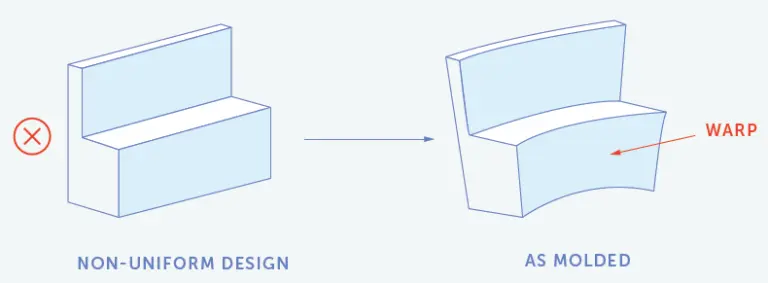
Part designers can reduce the risk of warping by following best practices for injection molding wall thickness. Semi-crystalline materials are more likely to warp, so material selection can also play a role. For injection molders, it’s important to allow enough time for parts to cool at a sufficiently gradual rate.
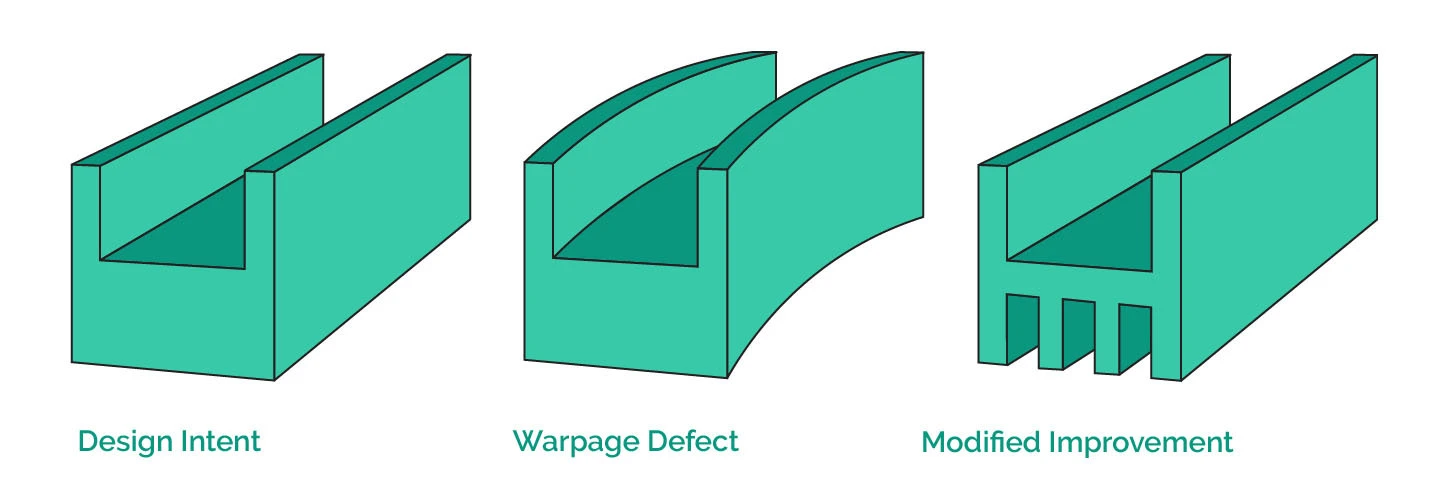
Table 6: Troubleshooting Warping
| Project Role | Troubleshooting Tips |
| Part Designer | Avoid placing a thin wall after a significantly thicker section.Avoid semi-crystalline materials, which are more likely to warp because they have higher shrinkage rates. |
| Mold Maker | Add vents or increase their size to promote cooling.Move the gate from a thinner area of the part to a thicker area. |
| Injection Molder | Raise the barrel temperature to promote flow.Raise the mold temperature to prevent premature cooling.Provide enough time for the parts to cool gradually. |
Jetting
Jetting is an injection molding defect that occurs when a jet of resin enters the mold too quickly and cools before the entire cavity is filled. The melted polymer sprays into the cavity with a snake-like motion but without first contacting the mold wall. Cosmetically, jetting produces thin, squiggly lines or wavy folds on a part’s surface. Structurally, jetting can reduce a part’s strength.
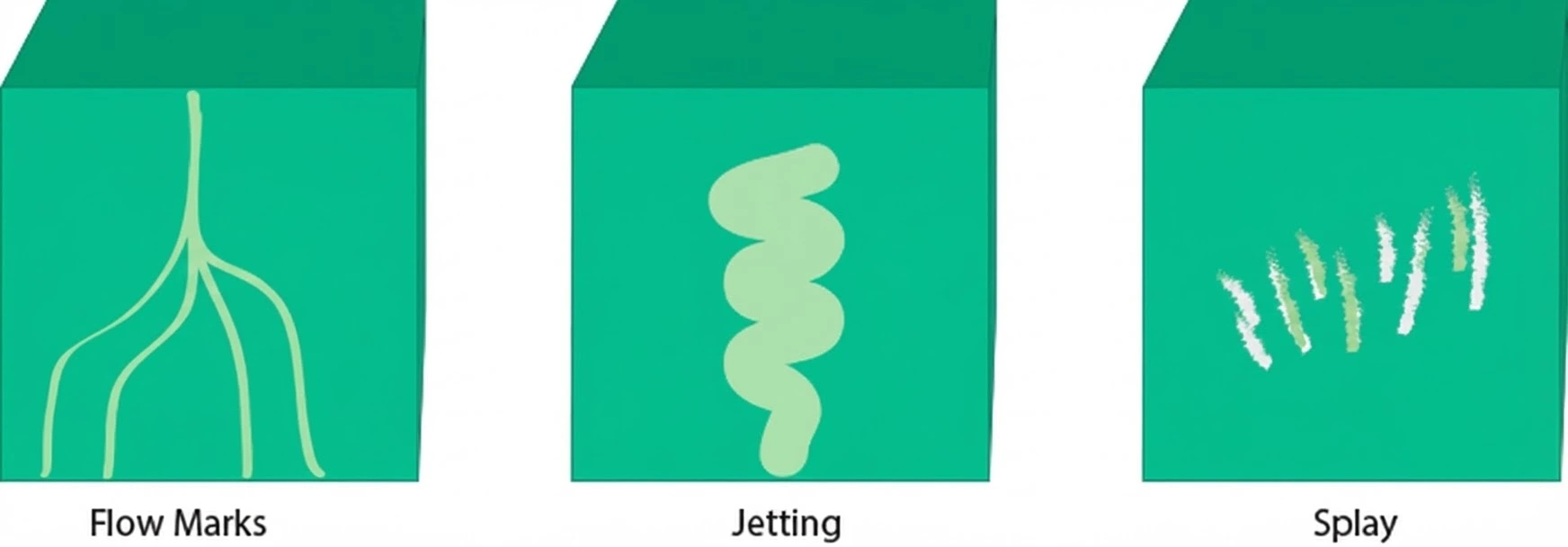
Injection molders can reduce jetting by adjusting temperatures or filling more gradually. Mold makers can also increase the gate size to slow the jet’s speed. Optimizing the gate’s design can also ensure greater contact between the molten plastic and the mold. For part designers, choosing a lower-viscosity plastic can help to avoid jetting.
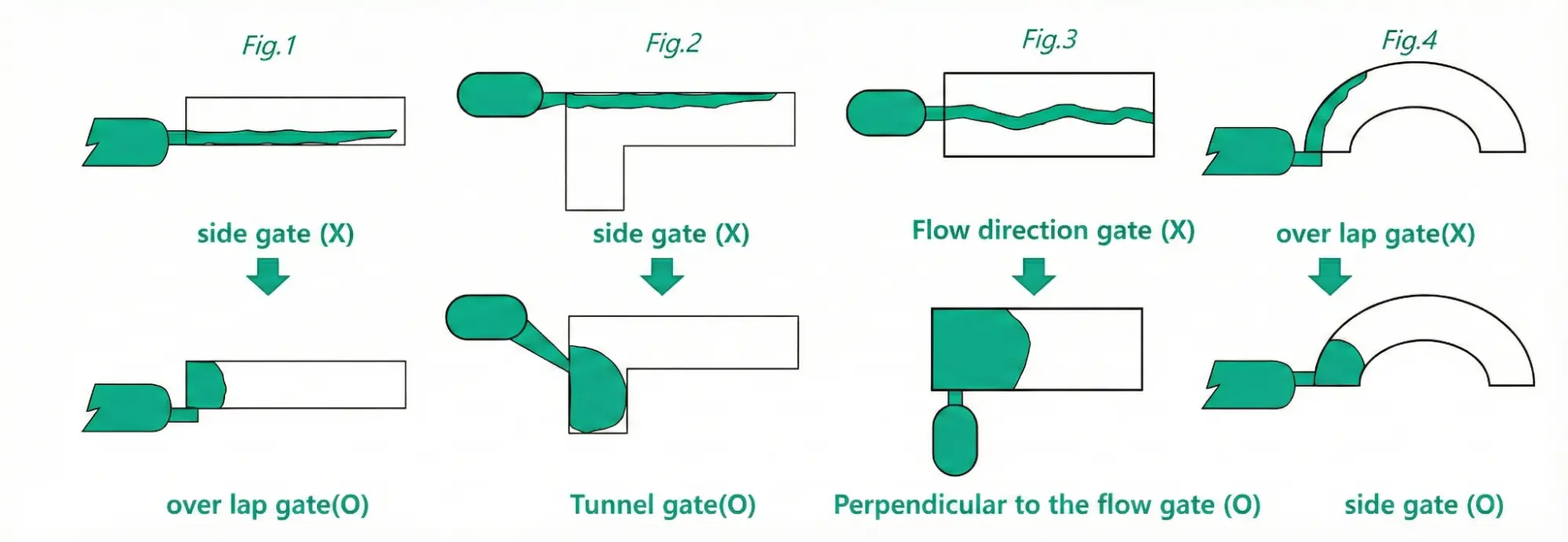
Table 7: Troubleshooting Jetting
| Project Role | Troubleshooting Tips |
| Part Designer | Choose a lower-viscosity plastic. |
| Mold Maker | Increase the gate size to slow the jet’s speed.Optimize the gate’s design to ensure greater contact between the molten plastic and the mold. |
| Injection Molder | Adjust temperatures and use more gradual fills. |
Pro-Tip: Counter to conventional engineering wisdom, injection molding is actually a great solution for prototyping. Learn how to get higher-quality injection-molded parts faster with this webinar: “Injection Molding: A Solution for More Than Just Production”.
Vacuum Voids
Vacuum voids are pockets of air that are trapped within or close to the surface of an injection-molded plastic part. They typically occur when solidification between the part’s surface and its interior is uneven. In general, voids occur for similar reasons to sink marks. Rather than pulling in from the outside wall to form a dimple, however, voids open up inside to form a bubble.
Injection molders can reduce vacuum voids by increasing the holding pressure and the hold time. They can also reduce vacuum voids by locating the gate near the thickest section of the part. Part designers can choose a less viscous plastic that allows air to escape from the mold more quickly.
Table 8: Troubleshooting Vacuum Voids
| Project Role | Troubleshooting Tips |
| Part Designer | Keep the part wall as thin as possible. |
| Mold Maker | Move the gate or increase its size.Increase or decrease the length of the runner. |
| Injection Molder | Adjust the injection pressure or speed.Increase the flow or the overall back pressures. |
Pro-Tip: If you are looking for our best strategies to employ when designing your injection mold, check out this article on “Our Best Tips for Designing Your Injection Mold”.
Discoloration
Part discoloration can be caused by issues with injection molding machinery, tooling problems, incorrect process parameters, or poor-quality injection molding materials. For example, machines that are not thoroughly cleaned may contain residues from leftover plastics of a different color.
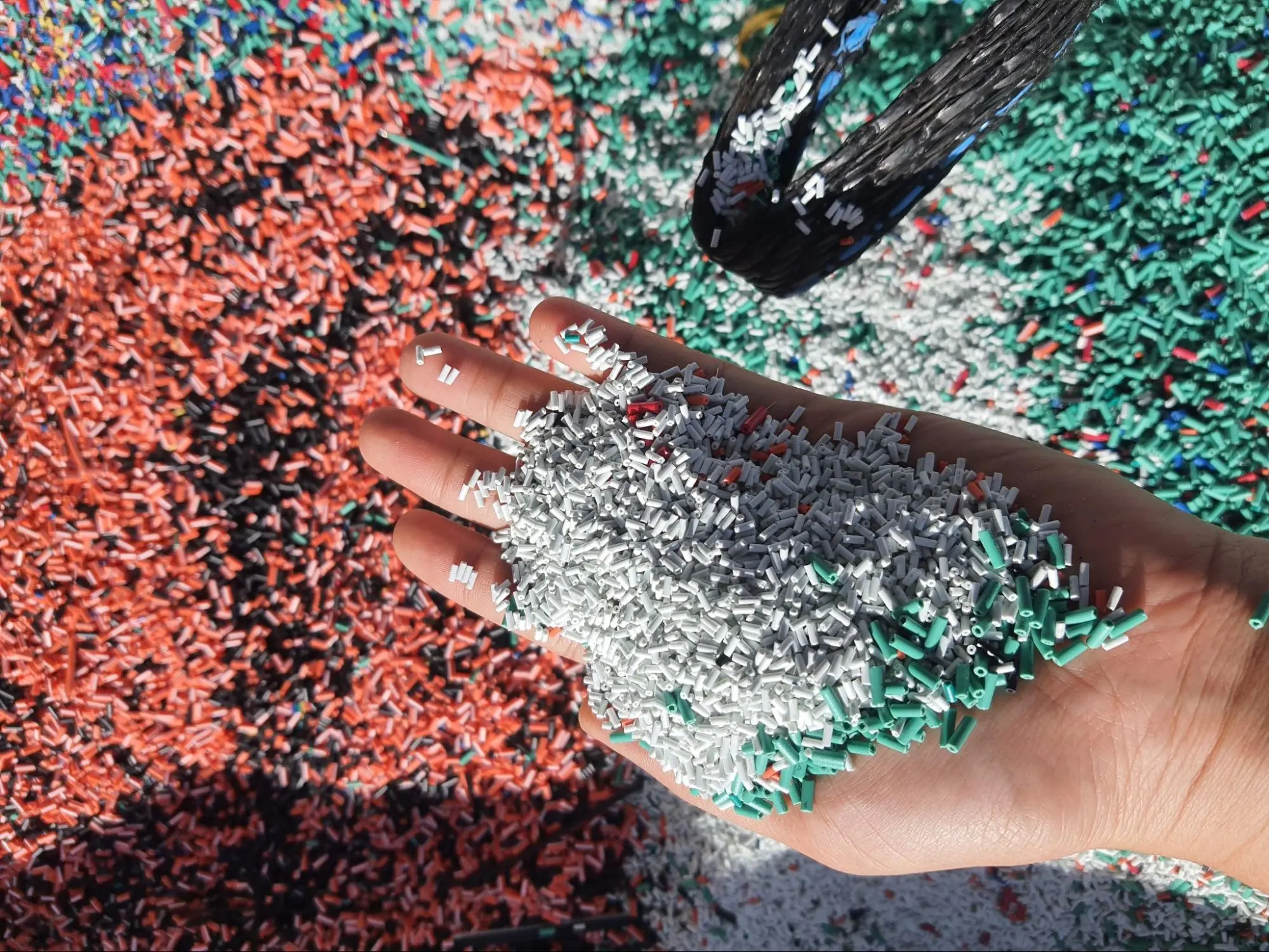
Temperatures that are too high or too low can also cause burn marks (brown or black marks on the surfaces of parts). Check out this Fictiv article for more tips on how to avoid injection molding discoloration.
In terms of tooling, inadequate venting or gates that are too small can cause burn marks as well. Injection molding materials with too much moisture or containing degraded colorants or additives can also cause part discoloration. In general, parts that appear discolored require solutions from the molder or the mold maker rather than the part designer.
Table 9: Troubleshooting Discoloration
| Project Role | Troubleshooting Tips |
| Part Designer | Select quality injection molding materials, including colorants. |
| Mold Maker | Add or optimize cooling lines.Add vents or increase their size. |
| Injection Molder | Dry materials properly. Clean molds and machines to avoid contamination.Adjust the mold temperature.Reduce the nozzle or barrel temperature. Avoid excessive shot sizes because they require more heat. |
Flash
Flash, or flashing, is excess plastic that forms on the surface of injection-molded parts. Typically, this unwanted material is forced out of the mold cavity at the parting line; however, flash can also emerge from other locations. Some flash is considered normal in the injection molding process, but too much can mar the surface finish of parts or interfere with their assembly.
The causes of flash include parting line mismatches, improper venting, low clamping pressure, and low viscosity or uneven flow. Worn mold cavities won’t fit tightly together, and vents that aren’t deep enough may allow stiffer plastics to protrude. In addition to refurbishing tooling, flashing solutions include increasing the clamping pressure or reducing melt temperatures.
Table 10: Troubleshooting Flash
| Project Role | Troubleshooting Tips |
| Part Designer | Add proper draft, especially at shut-off locations.Use the proper wall thickness for the selected plastic. |
| Mold Maker | Refurbish tooling, especially parting line mismatches and worn mold cavities that won’t fit tightly together.Avoid vents that are too shallow to allow stiffer plastics to protrude. |
| Injection Molder | Increase the clamping pressure.Reduce the melt temperature. |
For more tips, check out our “Product Study: Reducing Injection Molding Flash Through Better Part Design” article or this one on ”Tips to Avoid or Reduce Flash with Injection Molded Parts”.
Avoid Injection Molding Defects with DFM and Tooling Expertise
There’s a lot that can go wrong during part design, mold making, or the injection molding process itself. To avoid the injection molding defects, you need DFM expertise and guidance that does more than just tell you what can or can’t technically be made.
With Fictiv, you’ll get recommended part design solutions and insights that help you avoid problems before they start. To see our DFM feedback in action and learn how to review DFM feedback, check out this video. Plus, you gain access to our global network of manufacturing partners, all of whom are carefully vetted and are among the most skilled injection molders in the world.
Are you ready to learn more? Create your free Fictiv account and get an injection molding quote today.